Download and install Brickosaic from this website.


1. The picture
1.1 What size?
Theoretically, Brickosaic could handle pictures up to 999x999 pixels.
But if you really want to build a mosaic, large pictures would cost a
lot of money. So downsize your pictures with a bitmap-programm. Even a
50x50 pixel bitmap will become a large Lego mosaic!
1.2 The colors
This is the most difficult part. Brickosaic is not an application
for graphical data processing. You have to process your picture, before
you load it into Brickosaic. Reduce the colors to the Lego colors with
another Graphic App, like CorelPhotoPaint or other. A short tutorial for
PhotoPaint will follow soon. Hints: Use color palettes, and high contrast!
1.3 Load picture
Press the "Load" Button and select the picture you want to use.

2. Convert
Colors
You can convert the picture to Lego colors by pressing "Brickcolor". The
Brightness of the picture can adjusted with "Heller"/"Dunkler".
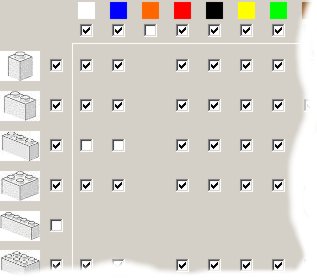
Only colors that are checked in the matrix are used.
3. The bricks
and colors
In this matrix you can determine which size of bricks you want to use.
Sometimes it is cheaper to by two 2x2 bricks, than one 2x4 brick. Check
or uncheck the bricks for the different colors. If you uncheck 1x1 bricks,
there can be holes in your mosaic.
You can exclude a type of bricks for all colors by clicking on the left
checkboxes.
If you want to exclude colors (some colors are hard to find and very expensive)
uncheck the checkboxes in the first row!
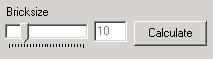
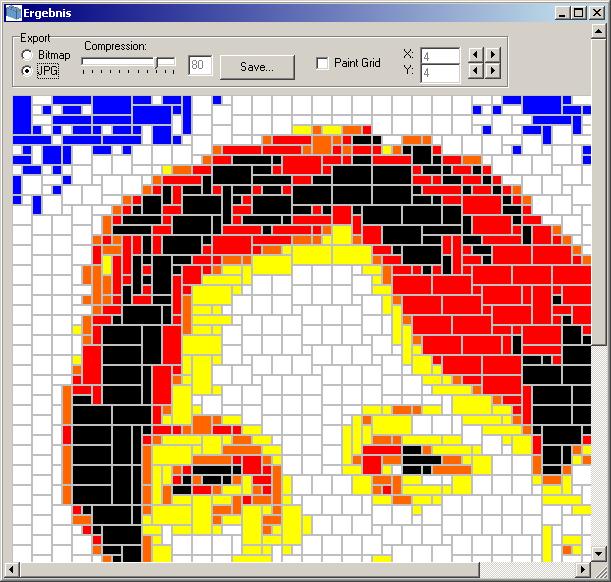
With the slider "Bricksize", you can determine how large your instruction sheet will be. After pressing "Create" a window will open and you see Brickosaic calculating the bricks. You can save the instruction as bitmap or jpg. Use the Compression slider for the JPG Quality.
The "Paint Grid" checkbox can be used to draw a grid over your instruction. This helps to keep the orientations when you place your mosaic bricks on the baseplates. Change the grid width and hight with the small arrow buttons.
4. Export
functions
Export CSV: Export a list of used bricks
in a ";"-separated file.
Export XML: You can directly import the XML list to the WantedList
feature of http://www.bricklink.com and it will help you to buy the needed
bricks.
Export LDR: Export the mosaic to a LDRAW file and process it in
ML-CAD.
Save Picture: You can save the generated (small) picture. You can
alter it with a graphic program and use it again with brickosaic